Video has been the most requested thing in our inbox, and the thing we were most reluctant to ship badly. A video tool that cannot hold your character's face is a demo, not a product.
So the first release leans on what already works: the stills you have made. Start from a frame you already like, describe the motion, choose a camera move, and the clip begins from that frame.
What ships today
Motion lives at Studio › Video and is open on every paid plan — Keeper, Vault and Keystone. The free plan does not include video.
There are three models, all from third-party providers and called through OpenRouter: Seedance 2.0 Fast and Seedance 2.0 from ByteDance, and Hailuo 2.3 from MiniMax. Clips come out at 16:9, 9:16 or 1:1, with no audio.
It is in beta, which for us means three things: it works, it is not fast, and the details may change before it is final.
Motion should inherit the look you already built. Nobody wants to grade a character twice.
— release note
Starting from a still
The most reliable way to keep a character in motion is to start from a frame where she already looks right. Use one of your stills as the first frame and the clip opens on it — her face, the light and the grade are in the picture before anything moves.
Start frame — Any still from your Vault, used as the opening frame. Optional, but it is what holds a face.
Motion — What happens in the shot, described in plain language.
Camera — Push in, pull out, orbit, crane, handheld or static — or leave it to the prompt.
Length — 4, 5, 6, 8, 10, 12 or 15 seconds on Seedance; 6 or 10 seconds on Hailuo.
Resolution — 480p, 720p or 1080p on Seedance; 720p or 1080p on Hailuo.
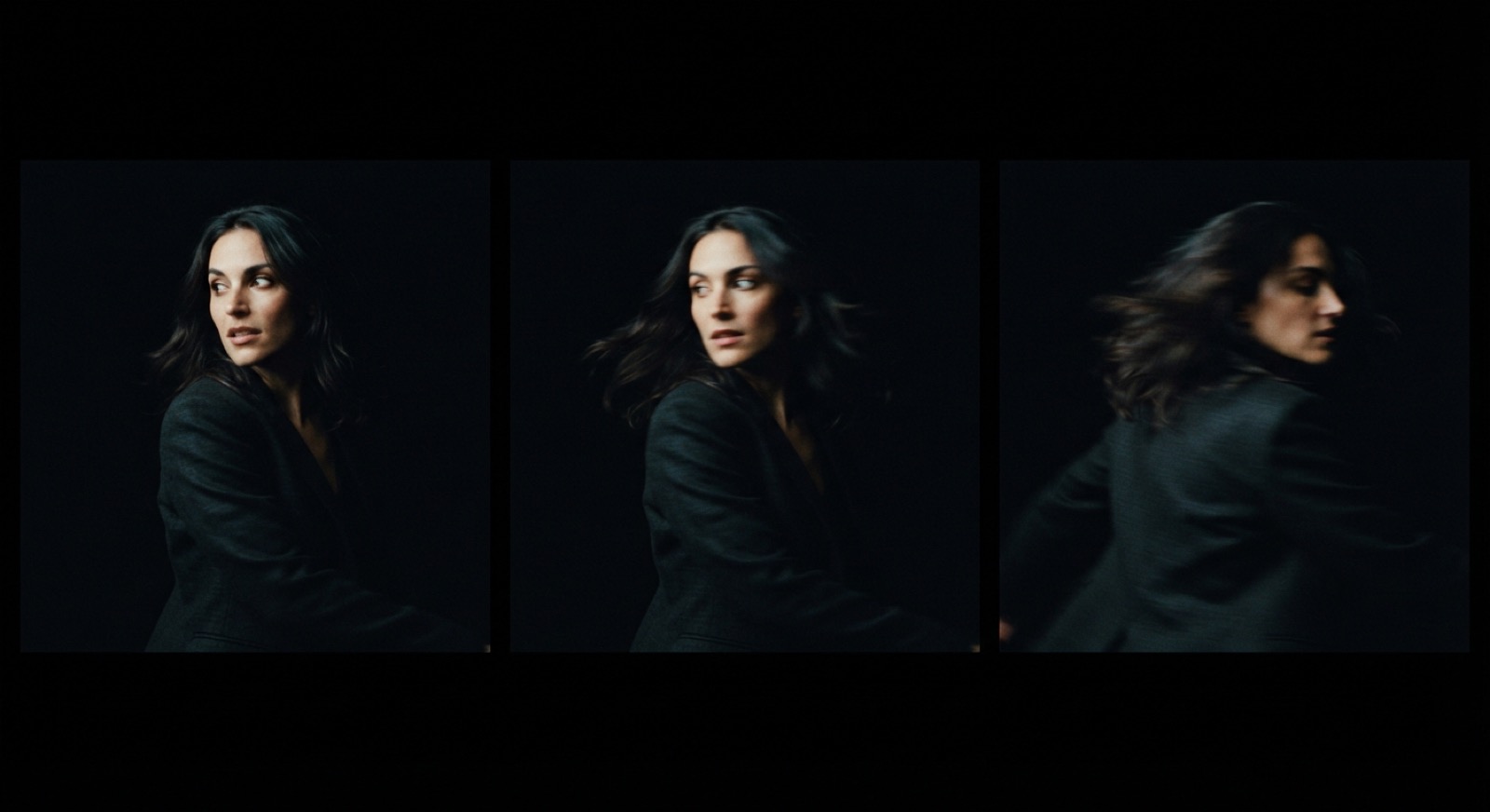
Fig. 1 — three frames from one clip that started from a still. The face holds; the motion is allowed to blur.
The limits
Fifteen seconds and 1080p are the ceiling today, set by what the models we call accept. Without a start frame, a clip is generated from the prompt alone, and how well it holds a specific face is up to the model.
There is no audio, no frame interpolation and no way to extend a clip. A third-party model also does not promise the same clip twice from the same inputs, so when a take is good, keep it.
Cost and credits
Video is priced per second and drawn from the same credit balance as your stills — there is no separate video allowance. The price is shown before you render, and a clip that fails, or is refused by the model's safety filter, is not charged.
2 credits / s — Seedance 2.0 Fast
3 credits / s — Seedance 2.0
4 credits / s — Hailuo 2.3
So a five-second clip on Seedance 2.0 Fast is 10 credits, five seconds on Seedance 2.0 is 15, and the longest clip on the menu — fifteen seconds of Seedance 2.0 — is 45.
What it does not do
No audio, no clip extension, nothing above 1080p and nothing longer than fifteen seconds. We would rather say that plainly than put dates on a roadmap.
Every clip you render is kept in your Vault at the resolution it was rendered at.
Motion is live on every paid plan today. If you already have a still you trust, that is the one to start from — the whole point is that you do not have to build anything new.